Text (508) 316-9885
Home networking service

WiFi Mesh Network Installation in Massachusetts

WiFi troubleshooting and dead-zone help — eliminated with mesh access points placed where they actually work.
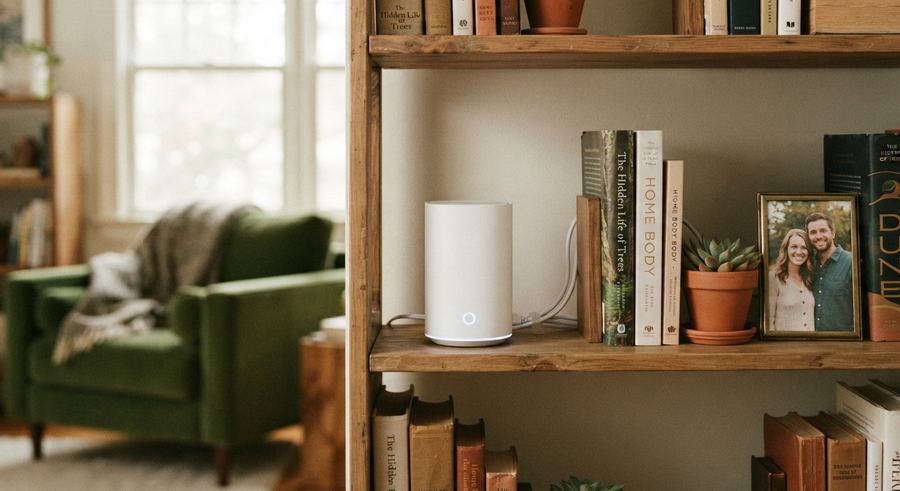
A white mesh WiFi router placed on a bookshelf in a living room
Flat-Rate
Pricing, confirmed before we arrive
Fully Insured
On every residential & commercial job
42
MA towns served
Same-day
Booking, most weeks

How it works

No estimator visit, no second trip — we quote, confirm, and finish in a single appointment.

01

Tell us what you need

Send a few photos and describe what needs to be done. We quote a flat price before we book anything.

02

Pick a time

Morning, afternoon, or evening — most weeks we can get to you within 48 hours.

03

We install, test, and clean up

Everything set up, tested, and working before we consider the job done.

About WiFi Mesh Network Installation

A weak signal in the back bedroom or basement isn't just annoying — it's usually why a Ring camera drops offline, a smart TV buffers, or a doorbell notification arrives five minutes late. We install mesh WiFi systems (Eero, Google Nest WiFi, Orbi, and similar) to eliminate dead zones throughout your home, with access points placed and tested for actual coverage, not just plugged in wherever's convenient.

  • Signal mapping before installation, so access points go where the dead zones actually are, not a generic every-other-room guess.
  • Mesh system installation and configuration (Eero, Nest WiFi, Orbi, and comparable systems), including migrating your existing devices onto the new network.
  • Placement and testing for the specific devices causing problems — a Ring camera, a smart TV, a home office setup — not just a general speed test in the living room.
  • Coordinated with any camera, doorbell, or smart TV install so devices connect cleanly from day one instead of fighting a weak signal.
Mesh network installation typically runs $149–$249 depending on home size and number of access points, and is often bundled at a discount when paired with a Ring or smart camera install.

Frequently Asked Questions About WiFi Mesh Network Installation

How do I know if I need a mesh network instead of just a better router? +
If you have dead zones in specific rooms, multiple floors, or devices that randomly drop connection, a mesh system usually solves it more reliably than a single stronger router, since it places multiple access points throughout the home instead of relying on one signal source.
Is a mesh network the same as a WiFi extender? +
No — an extender just repeats your existing signal, often slowing it down, while a mesh network adds dedicated access points that hand off your connection seamlessly as you move through the house. For real dead zones, mesh is almost always the better fix.
Can you just help troubleshoot our WiFi instead of installing a whole mesh system? +
Yes — we'll check your router placement, signal strength, and interference first. Sometimes a mesh system isn't even needed; other times it's the only real fix for a dead zone. Either way, we start with troubleshooting, not a sales pitch.
Will this fix my Ring doorbell disconnecting? +
In most cases, yes — a dropped Ring connection is very often a weak or congested WiFi signal at the doorbell's location specifically, which a properly placed mesh access point resolves.
Do I need to buy the mesh system myself, or do you supply it? +
Either works. We can install a system you've already purchased, or recommend and supply one based on your home's size and layout.
Can you set this up in a multi-story house? +
Yes, multi-story homes are actually one of the most common reasons people need mesh WiFi instead of a single router, since floors and walls are the biggest source of signal loss.
Is this just WiFi network setup, or do you configure everything? +
Full network setup — access points placed and tested, your existing router reconfigured if needed, and every device reconnected before we leave.
Does WiFi mesh demand pick up at certain times of year? +
We see a steady rise around the holidays, when more connected devices — smart TVs, cameras, speakers — get added to a home network all at once and existing WiFi starts to struggle. If you're planning to add holiday-gifted smart home devices, it's worth checking your coverage before they all arrive.

Get a flat quote for WiFi Mesh Network Installation.

Call or text (508) 316-9885

WiFi Mesh Network Installation Service Areas in Massachusetts

We provide WiFi Mesh Network Installation across greater Boston and MetroWest. Select your town below:

Other Services

TV Mounting Service

Fixed, tilt, full motion, outdoor, or commercial — the right TV wall mount for any room.

Learn more →

TV Unmounting & Remounting

Moving to a new place or rearranging a room? We'll take the TV down and remount it safely at the new spot.

Learn more →

Cord & Cable Concealment

In-wall or surface-channel routing so the only thing visible on the wall is the TV itself.

Learn more →

TV Recycling & Disposal

We'll haul away your old TV and see that it's recycled responsibly instead of landfilled.

Learn more →

Smart TV Setup

Wi-Fi connected, streaming apps signed in, and remotes paired before we leave.

Learn more →

Ring Doorbell & Camera Installation

Doorbell and security cameras mounted, wired, and connected to your WiFi — hardwired or battery.

Learn more →

Nest & Arlo Camera Installation

Nest and Arlo cameras and doorbells mounted, wired, and connected — tested before we leave.

Learn more →

Smart Thermostat Installation

Connected to your existing HVAC wiring and set up on WiFi in one visit.

Learn more →

Smart Lock Installation

A smart deadbolt fitted to your door and set up on your phone.

Learn more →

Elderly & Senior Tech Support

Patient, plain-language tech help for seniors — no jargon, no rushing.

Learn more →

Printer Setup & Repair

Offline errors, jams, print head issues, and wireless setup — sorted so every device can print.

Learn more →

Find us on Google. See our profile, service area, and photos on Google.

View on Google →